The average person has more than 100 online accounts. Using the same password on multiple sites means that a single data breach compromises every account that uses the same password. Using unique, complex passwords for each and every site without a system to store them means you’ll forget them all the time. Password managers address that issue by creating strong, unique passwords for each account, storing them in an encrypted vault, and populating them in automatically when the login page loads. The question in 2026 is not whether to use a password manager — that’s something security professionals take for granted — but which one is appropriate for a particular user’s needs, device ecosystem, and budget.
WHAT TO Look for in a Password Manager
Before comparing specific products, the criteria that are most important are worth establishing. Encryption is the foundation: all serious password managers use AES-256 encryption for the vault, with the encryption key being derived from the master password using a key derivation function such as PBKDF2, bcrypt, or Argon2. The critical detail is zero-knowledge architecture — the service never has access to the master password or the derived key, meaning even a breach of the company’s servers exposes only encrypted data that is computationally infeasible to crack without the master password.
Cross-platform support is important to most users. A password manager that works only on iPhone is useless when logging in from a work Windows PC or a family Android tablet. Browser extension compatibility covers the actual moment passwords are needed — the extension that intercepts the login page, fills credentials, and offers to save new ones. Autofill on mobile, via iOS’s AutoFill Passwords and Android’s Autofill Framework, determines how smooth the manager works on smartphones. Multi-device sync ensures that the vault is in sync on all devices without manual export and import.
Sharing and emergency access is important for families and businesses. The ability to share specific credentials with a partner or colleague without revealing the master password, and an emergency access mechanism that allows a designated trusted contact to request access after a waiting period, addresses real-world situations that a purely personal vault doesn’t cover.
THE LEADING OPTIONS
1Password
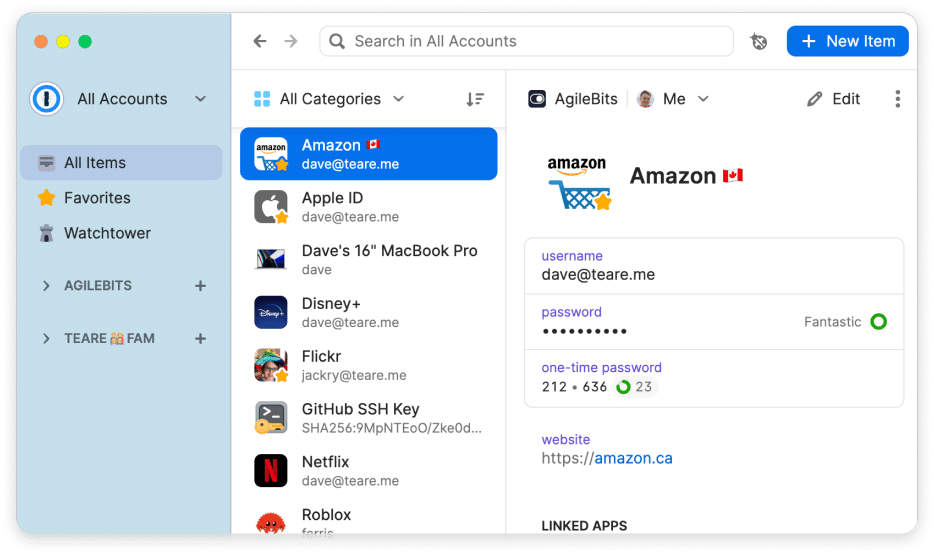
1Password, created by AgileBits and headquartered in Toronto, is available for Windows, macOS, Linux, Android, iOS, and via browser extensions for Chrome, Firefox, Edge, Safari, and Brave. The company switched to a subscription model in 2018 and has individual, family, team, and enterprise levels.
The feature that makes 1Password stand out from most competitors is Watchtower — a continuous monitoring system that checks stored passwords against Have I Been Pwned’s breach database, flags weak and reused passwords, identifies sites that support two-factor authentication where the user hasn’t enabled it, and marks passwords for accounts on sites that have reported security incidents. Watchtower runs automatically in the background and brings up actionable security information without the user having to initiate a manual audit.
Travel Mode addresses a specific concern for users that cross international borders where device inspection is possible. Activating Travel Mode removes designated vaults from all devices, which reappear once the user deactivates Travel Mode once safely past the border. The feature provides a way to keep sensitive credentials off devices when travelling without having to delete them.
1Password’s family plan includes five users for one flat monthly price, and each user has their own private vault in addition to shared family vaults. The family plan is one of the best value multi-user plans in the category, considering how many competing services charge per seat rather than per household.
The limitation is cost — 1Password has no free tier. The individual subscription is about $3 per month and the family plan about $5 per month. Users who require a free option have to look elsewhere.
Bitwarden
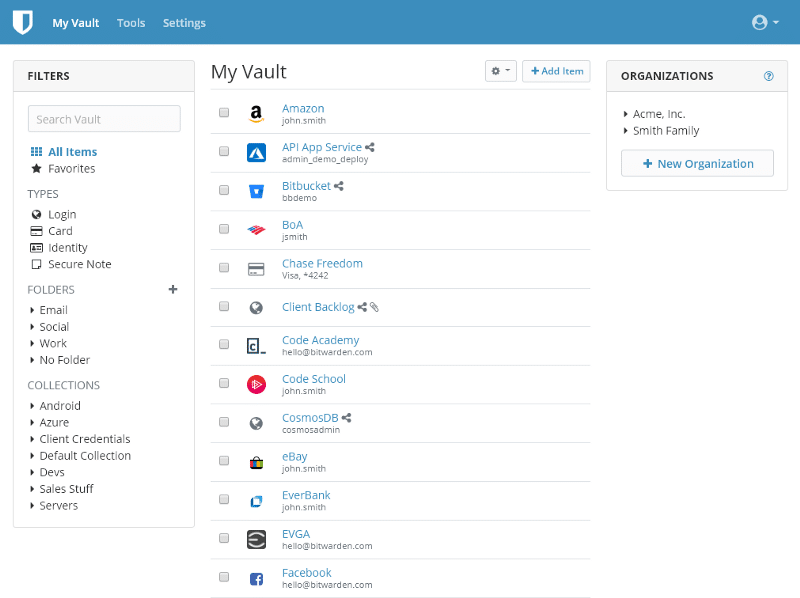
Bitwarden is the most popular open-source password manager with the entire codebase available on GitHub and independently audited by third-party security companies. It is available on every major platform — Windows, macOS, Linux, Android, iOS — with extensions for all major browsers and a web vault that can be accessed from any browser without an extension.
The free tier is actually capable. It includes unlimited passwords stored on unlimited devices, secure notes, basic autofill and two-factor authentication support. No competing commercial service offers Bitwarden’s free tier on those terms. The premium tier at $10 per year includes advanced two-factor authentication options (hardware security keys, Duo), a built-in TOTP authenticator that generates time-based one-time codes directly in the vault, encrypted file attachment storage allowance, and the Bitwarden Send feature for securely sharing sensitive information with non-Bitwarden users via a time-limited encrypted link.
The self-hosting option makes Bitwarden unique amongst all other mainstream password managers. Users with a home server or a VPS can host the full Bitwarden server on their own infrastructure, with the vault completely under their control and without using Bitwarden’s cloud. Bitwarden has official Docker images and documentation for the self-hosted setup. Privacy-conscious users and organizations with data sovereignty requirements find this option significant.
The trade off against 1Password is polish. Bitwarden’s interface is functional but less polished, and some of its features require you to navigate to the web vault instead of being available in the browser extension. For those users who are more interested in open-source verification and zero cost than interface elegance, Bitwarden is the best choice on the market.
Dashlane
Dashlane, which was founded in Paris in 2009, stands out for its built-in VPN and dark web monitoring that appear in the premium tier. The dark web monitoring is constantly scanning underground forums, breach databases, and credential marketplaces for the user’s email addresses and notifying the user when the credentials are found in newly discovered data. The scope of the monitoring — beyond just Have I Been Pwned to actively monitored dark web sources — goes beyond most competitor breach detection.
The built-in VPN, powered by Hotspot Shield, routes all traffic from devices through Dashlane’s VPN servers, offering a combined password manager and privacy tool in one subscription. Users who would have to pay separately for both tools find the bundled approach cost-effective. Users who already have a preferred VPN service find the bundle less valuable.
Dashlane’s free tier only allows 25 passwords to be stored — more of a trial than a usable free option. The premium subscription is about $5 a month, which is on the higher end of the category.
Keeper
Keeper Security positions itself strongly in both the consumer and enterprise segments, with a compliance-focused enterprise version used by government agencies, financial institutions and healthcare organizations. The consumer product has the advantage on features: unlimited password storage, cross-platform sync, encrypted file storage in the vault, built-in TOTP authenticator, emergency access, and BreachWatch — Keeper’s dark web monitoring service, sold as an add-on to the core subscription.
Keeper’s interface is consistent and clean across platforms and the browser extension autofill handles complex login pages reliably. The family plan has 5 users and the business plans add in administrative controls such as user provisioning, enforced policy settings and audit logs that track vault activity.
The BreachWatch add-on is an additional cost to the base subscription, which some users find annoying because some of their competitors offer breach monitoring as part of their base tiers. The overall subscription cost including BreachWatch is more than Bitwarden’s premium and similar to 1Password’s family plan.
NordPass
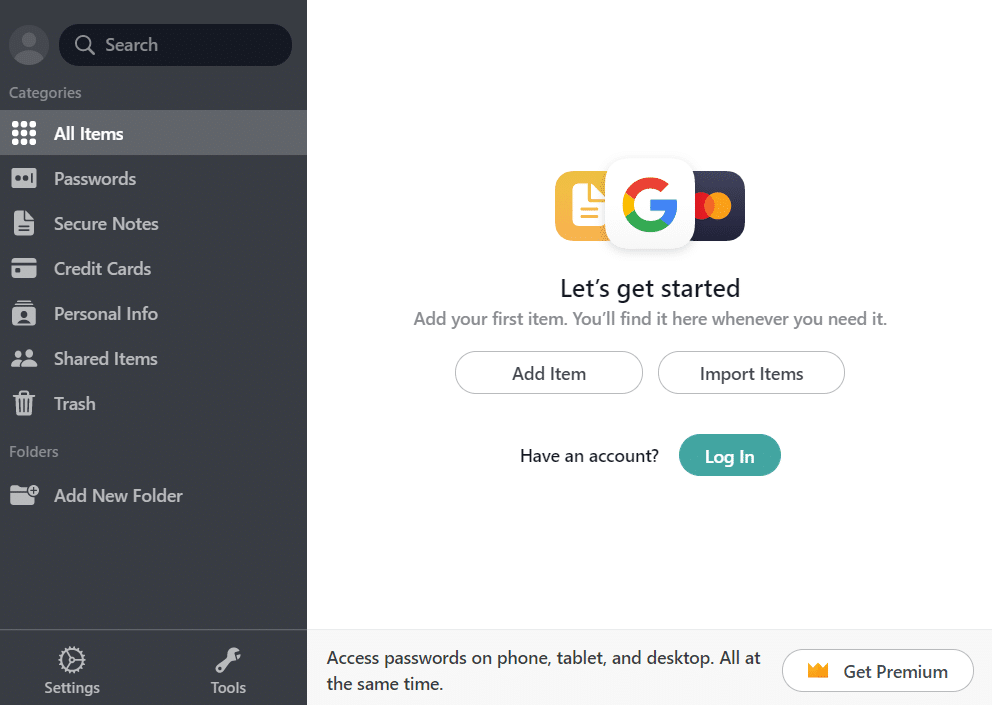
NordPass was developed by Nord Security — the company behind NordVPN — and launched in 2019, and has grown steadily on the strength of Nord’s existing brand recognition in the security software market. It uses XChaCha20 encryption instead of the AES-256 standard most of its competitors use, which Nord claims is a more modern algorithm with similar security properties.
The free tier is for one device at a time — syncing across multiple devices requires a premium subscription. The premium tier includes unlimited devices, password sharing, emergency access and data breach scanning. Nord’s bundled subscription option includes NordVPN, NordPass, and NordLocker encrypted cloud storage bundled together, which is suitable for users that are already in the Nord ecosystem.
NordPass has a simple interface and a smoother onboarding process than most of its competitors, making it a fair recommendation for users who are new to password managers and don’t mind about having a service that is accessible rather than feature-heavy.
RoboForm
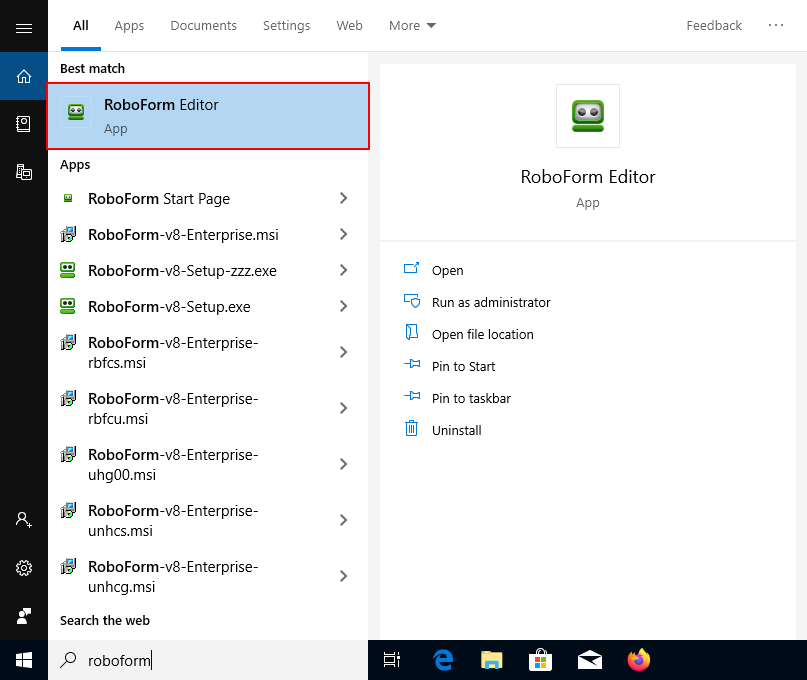
RoboForm has been in the password management market since 1999, ten years before most of the competition. It built its early user base on form filling — RoboForm’s ability to fill complex multi-field web forms, not just simple username and password combinations, was the feature that originally distinguished it. That form-filling capability is still stronger than most competitors for users who have to deal with lengthy registration forms, checkout pages and complex multi-step authentication flows.
RoboForm has a free version with unlimited passwords stored on one device and a premium version with multi-device sync, backup and sharing for about $2.50 per month – one of the lowest premium price points in the category. The business version includes administrative controls for team deployments.
The interface is dated compared to 1Password or Dashlane, and this reflects the age of the product. For users who are less concerned with visual design and more concerned with form filling capability and cost, RoboForm is a valid choice.
Apple Passwords (iCloud Keychain)
Apple’s built-in password manager branded as Passwords in iOS 18 and macOS Sequoia with its own dedicated application offers a zero-cost option for those who live entirely within the Apple ecosystem. iCloud Keychain syncs passwords, passkeys, and two-factor authentication codes across iPhone, iPad, Mac, and Apple Watch.
The April 2024 dedicated Passwords app made iCloud Keychain more accessible and provided it with feature parity with basic standalone password managers: vault organization by category, password health monitoring for weak and reused passwords, breach detection alerts, and Sharing feature for creating shared groups with family members or colleagues.
The limitation is the constraint of the Apple ecosystem. The Windows app and Chrome extension that Apple offers to Windows users work but do not have the depth of integration that native Apple platform use does. Android users have no access to iCloud Keychain at all. Users with mixed device environments — an iPhone in addition to a Windows PC and an Android tablet — find the Apple solution inadequate for their actual usage pattern.
Google Password Manager
Google Password Manager, built into Chrome and Android, covers a similar use case to Apple Passwords — a zero-cost option for users who use Google’s ecosystem across devices. It stores passwords in the Google account, syncs across Chrome on any platform, across Android devices natively, and offers password health checking and breach alerts.
The cross-platform benefit over Apple Passwords is real: Chrome is available on Windows, macOS, Linux, Android, and iOS, so Google Password Manager is available wherever Chrome is available. The trade-off is vault depth — the storage is limited to passwords and passkeys without the secure notes, identity fields and file attachments that standalone managers provide.
SUMMARY BY USE CASE
Users who want the most complete feature set and are willing to pay for it choose 1Password, with its Watchtower monitoring, Travel Mode, and polished cross-platform experience. Users who desire a capable free tier or who appreciate open source transparency opt for Bitwarden — the $10 per year premium tier is one of the best value propositions in software security tools. Users who are looking for dark web monitoring and a combined VPN look at Dashlane. Families with 5 or more members sharing credentials consider both 1Password’s family plan and Keeper’s family tier. Enterprise and compliance-driven organizations test Keeper and 1Password Business.
Users who are already committed to one ecosystem and are not willing to pay a subscription find Apple Passwords or Google Password Manager sufficient for basic use, with the knowledge that migrating away from these ecosystems later requires migrating the vault.
The one recommendation that holds true across the board: any password manager, even the free versions of Bitwarden and the built-in managers in Apple and Google, is much better than no password manager. The particular choice is less important than the decision to use one.
PASSKEYS and the Future of Authentication
One development that impacts the long-term relevance of every password manager is the adoption of passkeys – the FIDO2-based authentication standard that replaces passwords with a cryptographic key pair that is stored on the device. Apple, Google, and Microsoft all added support for passkeys to their respective platforms in 2022-2024, and major services such as Google, Apple, PayPal, and GitHub all support passkey login. Password managers such as 1Password, Bitwarden, Dashlane and Keeper added passkey storage and syncing to their vaults, positioning themselves as passkey managers rather than just password managers.
Passkeys don’t replace password managers in the near term because the shift away from passwords will take years across the entire web. Sites that have been around since the early 2000s aren’t going to deprecate password login at the same time, and many smaller services will be years behind the major platforms. A password manager that also handles passkeys covers both forms of authentication through the transition period without requiring the user to manage two separate systems.