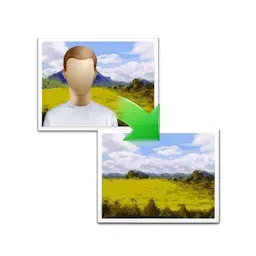
AI Photo Object Eraser is a Windows program for removing unwanted objects from photos. It erases unwanted objects from a picture using a small trained AI model. The program uses a freemium model and works entirely offline.
How objects are removed
You open a photo in AI Photo Object Eraser and erase the unwanted object. The program removes it with its small trained AI and deep learning model.
Results can vary with how much of the picture is erased at once. AI Photo Object Eraser lets you work in passes, so you can clean a scene with several distractions one item at a time.
Getting cleaner fills
How an area is erased affects the quality of the fill:
- Remove small objects first and larger ones afterwards.
- Compare erasing a large block in one go with removing it gradually in smaller pieces. One approach can give a cleaner result than the other, and you can repeat the attempt.
- Set the zoom level before erasing, which makes it easier to cover small or detailed objects precisely.
Undo steps back from the last erase when a fill does not look right. Reset returns the photo to its original state so you can start over.
Offline processing and speed
AI Photo Object Eraser runs its model locally. The program never uploads photos and needs no internet connection to process them. This keeps private images on your own computer. The model is small, so the program uses little memory and disk space. It is designed to run on lower-powered PCs as well as newer machines.
JPG, PNG and transparency
The program opens JPG and PNG images. The program also supports transparent PNG files. Erasing an object from a cut-out graphic or a logo on a transparent background keeps the transparency intact instead of flattening it onto a solid color.
Portable copy and interface languages
Besides the standard installed version, AI Photo Object Eraser is available as a portable ZIP package that runs without installation. The interface is translated into 16 languages, including English, German, French, Spanish, Chinese, Japanese, Korean and Thai.
AI Photo Object Eraser comes from the same developer as Batch AI Photo Sharpener, AI PNG Enlarger and Batch Image Combiner. It is also part of the developer’s AI Image Toolkit bundle.





