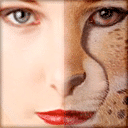
FantaMorph is a morphing program from Abrosoft that turns still pictures into animations. These include one face changing into another, a photo bending into a new shape, or a chain of portraits changing in sequence. It runs on Windows and macOS. It is a paid program sold in three editions, SE, Pro and Deluxe, with a 30-day trial of all functions. The finished animation can leave FantaMorph as a video, an animated GIF, a Flash file, a web page, a screen saver or a standalone program.
Key dots and how a morph is built
FantaMorph uses the key dots method. A project starts with two source images, and the user places matching dots on both: the corner of the left eye on the first face, then the same corner on the second. Each pair tells the program where a point has to travel during the transition. From the dots, FantaMorph builds a triangle mesh and calculates every in-between frame from it. The mesh can be shown on screen.
The result depends on how logically the pairs line up. With “Auto Add Corresponding Dot” switched on, every dot placed on one image gets a partner on the other, ready to be dragged into position. Only paired dots affect the morph, and a Matching tool can generate corresponding dots automatically. A magnifier enlarges the area around the cursor for precise placement.
Users can link dots with lines to trace an outline such as a jaw or hairline. They can move, scale, rotate, skew or flip a selected group at once. A project holds up to 2,048 dots.
Preparing the source images
FantaMorph opens common formats such as JPEG, PNG, TIFF, BMP, PSD, GIF and TGA, as well as AVI clips. Images with a 32-bit alpha channel keep their transparency, so a morphing object can later sit over a different background.
Source photos rarely match in size or framing, so the program includes the editing needed to align them. This includes free or fixed-ratio cropping, rotation by any angle, flipping, and brightness, contrast, hue and saturation adjustments. Filters such as blur, sharpen and oil paint, and per-image captions, are also available.
Timing, morph types and sequences
Each transition in FantaMorph is a sequence of 2 to 999 frames. The start and end images can be held still for a set number of frames. A sequence does not have to be a full morph. It can warp only one of the images, fade one out or in, hold the first image while morphing, or cut directly. A single image can therefore be used on its own to create a warp movie.
The Pro and Deluxe editions join several sequences into one movie. A continued sequence takes the previous end image as its new starting point. A series of photos, such as one person at different ages, therefore plays as a single continuous change.
Curves and camera
By default a morph changes at an even pace. The Feature, Shape and Master curves alter that timing separately for the feature morph, the shape morph and the transparency blend, using preset or custom curves. A Track curve makes dots follow curved rather than straight paths. The Camera tool pans, zooms and rotates the view along its own path, much like a moving camera.
Effects, sound and preview
Effects in FantaMorph apply to the whole movie or to individual sequences. A background color or image fills transparent areas. A foreground alpha image sits on top as a frame, and grayscale bitmaps act as masks, lighting patterns or transition shapes. Trail adds motion trails and blur, and Radial adds a radial color effect. Users can trim, repeat and fade a WAV or MP3 soundtrack. FantaMorph carries the soundtrack into AVI, Flash, screen saver and EXE output.
Preview runs in real time using OpenGL hardware acceleration, with frame-by-frame stepping, looping, reverse playback and a checkerboard background for checking transparency.
Export options
FantaMorph exports all sequences, the current one or a range. Export formats include numbered image files, AVI (including 32-bit), QuickTime (Deluxe), animated GIF with optional transparency, Flash, an HTML page, a screen saver or a self-running EXE. Frame rate, quality and frame size are adjustable, and single frames can be saved as images.
Face tools in the Deluxe edition
FantaMorph Deluxe adds portrait add-ins. Face Extractor crops faces from source photos. Face Locator detects the eyes, nose, mouth and other features and places key dots on them automatically, even with several faces in one image. Face Mixer blends the features and shapes of several real faces into one composite, with adjustable proportions for each. FantaMorph also offers Layer Morph, which runs several morphs at once as layers in one movie.
Choosing an edition
| Edition | Scope |
|---|---|
| FantaMorph SE | Morphs between two images, with real-time preview and export to image sequence, AVI, Flash, animated GIF, EXE and screen saver |
| FantaMorph Pro | Adds morphs across more than two images, Feature and Shape curves, 32-bit morphs, captions and filters for source images, and movie effects |
| FantaMorph Deluxe | All features, including the face tools and QuickTime export |





