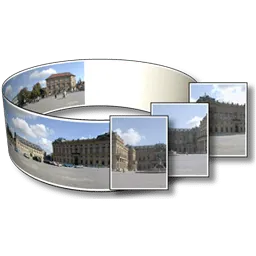
PanoramaStudio joins overlapping photographs into a single panorama. It reads source images and camera metadata, finds shared details, aligns the frames and blends their overlaps. The result can be a flat image, a print layout or a folder of interactive web files. PanoramaStudio does not overwrite the original photographs when the user changes project filters, projection or horizon settings.
Automatic alignment is a starting result
Good overlap lets PanoramaStudio place single-row or multi-row photographs automatically. A control point marks the same physical detail in two images and constrains their alignment. The control-point editor becomes necessary when repeated patterns, weak detail or moving subjects confuse the automatic match. A mask decides which source contributes pixels in an overlap, so it can exclude a person who appears in two positions or keep the cleaner side of a seam.
The Image Manager can replace or edit an input after alignment. That avoids rebuilding an unrelated project solely because one source needs correction. Lens correction and Exif focal-length data also affect geometry. Incorrect metadata can bend architectural lines, but the chosen projection can create curvature even when the metadata is correct.
Projection controls the shape of the panorama
Cylindrical and spherical projections map a wide field of view onto a flat image and can curve lines that did not look curved in one source frame. Horizon correction changes orientation; it does not cancel the mathematics of the projection. A rectilinear projection keeps straight lines in a perspective-correct section, but very wide views can stretch the edges. Choosing among those results requires looking at the subject rather than treating one projection as a repair for every panorama.
PanoramaStudio applies project filters without changing the source files. Cropping and image processing affect the rendered output, while a later project edit can produce another export. Specialized work with HDR sources, fisheye images, viewpoint correction or automatic white balance depends on the edition, so two installations can expose different correction paths even when they open the same photographs.
An interactive export is a complete folder
Interactive HTML output contains an HTML document and supporting assets. PanoramaStudio expects a new empty output folder, and the whole folder must remain together when it moves to a web server. Uploading only the HTML file leaves its images and scripts behind. Hotspots can connect panoramas or display information, while Tour Gallery builds an index from compatible panoramas exported into the same folder.
Map placement needs GPS coordinates in the photographs or a location entered through Edit Location and Orientation. Stitching the pictures does not invent that location. Large projects also need temporary storage and memory beyond the size of the final JPEG because PanoramaStudio must hold source images, alignment data and intermediate rendering work. The trial can complete that workflow but places a watermark on the finished panorama.





