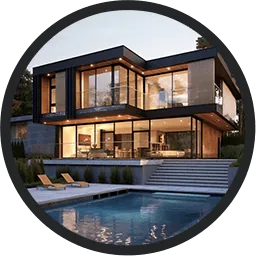
Ashampoo 3D CAD Professional is a Windows CAD program for architectural and construction planning. Users draw floor plans, build a 3D house model from them and produce sections, elevations and plan sheets. It is aimed at designers, draughtsmen and interior and landscape architects. The program is paid software with a free trial period.
From floor plan to building model
Work in Ashampoo 3D CAD Professional starts with the floor plan. Users place walls, windows and doors in 2D. The program builds the matching 3D model from the same data, so changes in the plan appear in the model. Numeric input modes let users type lengths and positions of walls, windows and doors instead of drawing them. Numeric editing tools adjust existing elements.
An existing paper plan can serve as the starting point. Users insert and trace over a scanned plan in JPG or PNG format. Each wall and window can carry its own unique item number.
Windows, doors and openings
The catalog holds ready-made doors and windows, but the Professional edition also lets users build their own windows and window types. Further custom parts include doors, roller shutter boxes, blinds and borders. Sliding doors use asymmetrical wall openings with a track system, and the 3D view can show open doors.
Roofs, stairs and terrain
Users create roofs with a roofing wizard or build them up from separate parts. Supported forms include hall roofs and circular roofs, and corrugated sheets come in several profiles. Users can combine extensions, openings and merged roofs, and add or remove roof polygon points. Users can plan photovoltaic installations directly on the roof surfaces.
A stair generator creates staircases and lets users switch individual parts of the stair on or off. Outside, a topography designer shapes the plot. It includes retaining walls, automatic borders for beds and terraces, and raster elements for large surfaces. The program also calculates excavation areas and the areas of terrain elements.
Views, sections and visual checks
Ashampoo 3D CAD Professional shows the model through a freely positioned camera. Exterior lighting and shadow simulation show how the building looks under light. Section views have an adjustable cut depth. Elevation views use hidden line representation that filters out unwanted floor dividing lines, giving clean exterior views.
A project viewer lists the building by hierarchy level. Users can save visibility settings for categories and object types.
Dimensions and quantities
Ashampoo 3D CAD Professional dimensions 2D floor plans and views automatically. Height dimensions can show values above sea level, and angle dimensions and window and door sizes appear in plan views. Users can take measurements along polygons and as angles.
The program automatically calculates areas, lengths and volumes, with output details for floors, walls and ceilings.
Catalogs and 3D objects
The 3D catalog furnishes and details the model. Its newer objects are freely scalable. Users place more than 250 pre-assembled object groups, such as garages, kitchen lines, garden houses and saunas, as complete units. Balconies with several railing styles and solar modules, including balcony power systems, are also included. Users can add their own catalog directories, and an integrated 3D converter brings in external models with material and texture editing.
Electrical plans and escape plans
An electrical planning assistant places outlets, switches and lights in each room. It works from predefined room types or from custom templates and puts the result on its own electrical layer. It also accepts custom symbol directories and generates a parts list of the installed components.
A fire escape plan plug-in turns an existing floor plan into an escape and rescue plan. A wizard sets the scale, drawing frame and layout, and a 2D symbol catalog supplies the safety signs. The plug-in automatically creates the legend from the symbols used. Users can export the symbols used as a list to PDF, RTF or Excel.
2D drawing and plan sheets
For drawing work, Ashampoo 3D CAD Professional offers custom line types, hatching and parameterized 2D lines. Users can create their own 2D symbols and fill them with colour. The plan layout function places several views, such as floor plans, sections and elevations, on one sheet. A wizard handles scale and frame placement.
File exchange and BIM
An IFC 2×3 export plug-in passes the complete 3D building model to other software for BIM work. The export includes walls, ceilings, floors, roof structures, windows, doors, stairs, catalog objects and custom constructions. This lets the data continue in architectural, structural engineering or cost estimating programs. The Professional edition also imports and exports 2D DXF and DWG drawings. It exports to Maxon Cinema 4D for further rendering and imports SketchUp and Collada models.
Professional and Architecture editions
Ashampoo also sells 3D CAD Architecture, a lower-cost edition for users who do not need the functions below.
| Function | 3D CAD Professional | 3D CAD Architecture |
|---|---|---|
| 2D DXF/DWG import and export | Yes | No |
| Maxon Cinema 4D export | Yes | No |
| Self-built windows | Yes | No |





