Windows Utilities Apps
test

Droid4X v0.11.7 Beta

Snes9x v1.63

PPSSPP v1.20.4
Patch My PC v2022

Etcher v2022

Tux Typing v1.8.3

WinDynamicDesktop v2022

Leawo iOS Data Recovery v3.4.2.0
AOMEI Backupper v2023

KingRoot v2022
Hard Disk Sentinel v2022

RocketDock v2022

Armoury Crate v2025

Windows Terminal v1.24.11321.0

PowerArchiver v22.10.02
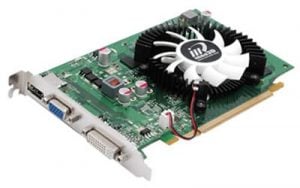
Display Driver Uninstaller (DDU) v18.1.5.3

Tenorshare iCareFone v2022
ChipGenius v2024

PC Tasks Optimizer v2024
Partition Magic v8.05

jetclean v2023
Win Toolkit v1.7.0.15

Albion Online v31.010.1

Wondershare Dr.Fone v9.2.0.11
About Utilities
Utilities is the catch-all category — the home for small, focused programs that each do one job well and do not fit neatly anywhere else. A network analyzer, a webcam tool, a scripting language, a clipboard manager, and a file-renaming tool can all land here, united only by being practical rather than belonging to a tidy theme.
Because the group is so varied, browsing it works best when you already know the job you need done. A utility is usually the answer to a specific, recurring annoyance: a task the operating system handles awkwardly, or not at all, that a purpose-built tool turns into a click. The value is in the narrowness.
Some entries here are more technical than others. Tools aimed at developers and power users — packet analyzers, scripting environments, automation helpers — sit alongside simple conveniences anyone can use. The descriptions on each listing make the intended audience clear, so a quick read tells you whether a program expects background knowledge.
The general advice for this category is to keep it lean. It is easy to collect dozens of small utilities and remember none of them, and each one is still software that runs, updates, and occasionally needs attention. Install a utility when it solves a problem you actually have, and remove it cleanly when it has served its purpose.