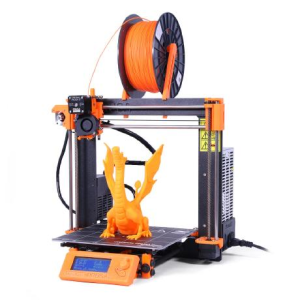
Prusa Research develops PrusaSlicer as a fork of Alessandro Ranellucci’s Slic3r. Until version 2.0 it was called Slic3r Prusa Edition, then the Slic3r reference was dropped. The bundled profiles are the most complete for Prusa’s own printers, but the software also works with third-party printers running Marlin, Repetier and RepRap firmware, which may need to be configured manually.
The builds for Windows, macOS and Linux come direct from Prusa. The official AppImage is newer than most distribution packages, which lag behind, and configuration is not preserved between side-by-side installations: the bundle exports from the old version and imports to the new one.
The slicer natively supports STL, OBJ, AMF and 3MF meshes, and STEP files can be imported without conversion in external CAD software first. There are Simple, Advanced and Expert modes that determine the number of parameters the interface exposes, and the mode can be changed at any time. A Configuration Wizard runs at first launch to set up the printer, filament profiles and starting mode.
PAINTING SETTINGS ONTO THE MODEL
Brushing directly on the model to overrule the automatic result is a recurring pattern throughout the program. Paint-on supports mark where support material is required and where it is not. Layer height paints the same way: a curved surface is given fine layers and a straight section thicker ones, or the adaptive tool derives that distribution from geometry instead. Fuzzy skin paints onto selected faces rather than the entire outside surface. For resin prints, the support point gizmo adds and edits points individually rather than only taking what the generator gives.
AUTOMATIC GENERATION
The Arachne perimeter generator adjusts perimeter width to fill thin walls that fixed-width perimeters leave open. Organic supports branch out from the build plate and touch only the points that require holding, which uses less material than a grid and detaches more cleanly. Lightning infill and the Pressure equalizer round out that side of the print path. Scarf seams reduce the seam line visible at each closure.
HOLLOWING AND DRAINING FOR RESIN PRINTS
Objects sliced for SLA printers are solid by default, as there is no infill pattern in resin printing. The Hollowing tool in the left toolbar removes the interior, leaving a shell of adjustable wall thickness that can be set per model or for all models at once under Print Settings. Clicking the model surface creates a drainage hole and dragging moves it, with adjustable width; at least two on opposite sides are recommended so that trapped resin drains and no vacuum forms. When a hole is moved or deleted, support points already placed at that spot are not rechecked, which may leave a point floating in midair or buried in the object. The hollowed and drilled mesh renders in the 3D scene rather than only at slicing time, and support points are placed within the cavity and into the holes. Pad settings sit under Print Settings, Support Material, Pad.
MODIFIER MESHES
Modifier meshes apply different settings to a selected part of an object without splitting the model. A region may block or enforce supports, have its own layer height, infill pattern or density, or have a different number of perimeters than the rest of the object.
MULTIPLE PLATES AND SEQUENTIAL PRINTING
Up to nine build plates arrange and export at a time. For printers that finish objects one at a time, Smart Sequential Printing Arrange positions objects using a solver so the gantry avoids hitting a finished part.
SURFACE AND MOTION CONTROLS
Consistent Surface cooling maintains outer wall quality on fast layers. Short travel acceleration slows only the shortest travels on external perimeters, which reduces ringing. Junction Deviation governs those moves.
G-CODE GENERATION
Users can add their own variables to their profiles for custom G-code, and a pause or custom block inserts at a selected height. If the printer supports it, binary G-code makes the file smaller. Ramping travels, G2/G3 arc support, SVG emboss and Cancel Object are also produced. Multi-material output includes tool changes, wipe towers and purge volumes, with interlocking between adjacent materials.
PRUSA CONNECT AND PRINTABLES
Prusa printers are managed remotely through integrated Prusa Connect, and the Printables model database can be browsed from inside the application.





