Drivers and Driver Tools

Driver Booster 14.0.1.462

Driver Easy 7.2.1.6251
DriverMax 18.0.308

Driver Genius 26.0.0.164
nVIDIA GeForce Game Ready Driver 617.14
Driver Talent 10.1.37.102
Intel Chipset Device Software 10.1.18
AVG Driver Updater 22.4 Build 5738
AMD Ryzen Master 3.1.1 Build 5502

Driver Magician 6.5

Ashampoo Driver Updater 2.6.2

Adobe AIR 51.3.3.2

Auslogics Driver Updater 2.1.0.0

Realtek Audio Driver 4.06
Intel Graphics Driver 32.0.101.8724

MSI Afterburner 4.6.6.16757
Microsoft .NET Framework 4.8.1

GARMIN Express 7.29.1.0

AirDroid 4.3.11.0

LetsView 1.3.9
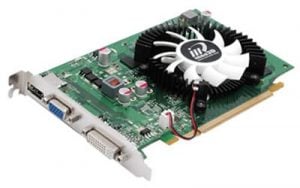
Display Driver Uninstaller (DDU) 18.1.5.3
Media Creation Tool 10.0.26100.7019

Wise Driver Care 2.3.301.1010
Odin3 3.14.4
About Drivers
A driver is the software that lets the operating system talk to a piece of hardware — a graphics card, a printer, a network adapter. This group mixes two things: actual driver packages for specific devices, and utilities that manage drivers in general, such as updaters and removal tools.
Driver updater programs deserve a careful look. The honest position is that Windows Update and the hardware maker's own site already supply most drivers, and a working driver rarely needs replacing. Updaters can help on an older machine with unrecognized hardware, but many of them overstate how many devices are 'out of date' to justify a paid upgrade.
Some tools here are genuinely useful and hard to replace. Display Driver Uninstaller does one narrow job — stripping out every trace of a graphics driver so a clean reinstall has nothing to conflict with — and it is the standard fix for stubborn display problems. Monitoring and fan-control utilities serve a similar focused role.
The safest habit for graphics, chipset, and network drivers is to get them straight from the vendor: the chip manufacturer, the laptop maker, the motherboard brand. Those builds are tested for the exact hardware. Treat a general updater as a convenience for filling gaps, not as the first place to look, and check the version date on any package before installing it.