Windows Drivers Apps

DriverPack Solution 17.10.14

SamFirm 0.5.0

3uTools Windows 9.07; macOS 9.05; Linux 9.01
Bluetooth Driver Installer 1.0.0.164
AMD Ryzen Master 3.1.1 Build 5502

Driver Booster 13.5.0

Adobe AIR 51.3.3.2
Microsoft .NET Framework 4.8.1

Driver Easy 7.1.5.5750

GARMIN Express 7.29.1.0

Razer Synapse 4.0.86

DroidKit 2025.8
Intel Chipset Device Software 10.1.18

Media Creation Tool 10.0.26100.7019

Realtek Audio Driver 4.06

Easy Driver

AirDroid 4.3.11.0

Mobogenie 3.3.7

MSI Afterburner 4.6.6.16757
Advanced Driver Updater 4.6.1086.8640
DriverMax 18.0.288

Odin3 3.14.4
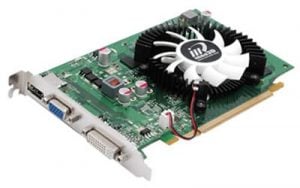
Display Driver Uninstaller (DDU) 18.1.5.3
Logitech Webcam Software 2.80.859.0
About Drivers
A driver is the software that lets the operating system talk to a piece of hardware — a graphics card, a printer, a network adapter. This group mixes two things: actual driver packages for specific devices, and utilities that manage drivers in general, such as updaters and removal tools.
Driver updater programs deserve a careful look. The honest position is that Windows Update and the hardware maker's own site already supply most drivers, and a working driver rarely needs replacing. Updaters can help on an older machine with unrecognized hardware, but many of them overstate how many devices are 'out of date' to justify a paid upgrade.
Some tools here are genuinely useful and hard to replace. Display Driver Uninstaller does one narrow job — stripping out every trace of a graphics driver so a clean reinstall has nothing to conflict with — and it is the standard fix for stubborn display problems. Monitoring and fan-control utilities serve a similar focused role.
The safest habit for graphics, chipset, and network drivers is to get them straight from the vendor: the chip manufacturer, the laptop maker, the motherboard brand. Those builds are tested for the exact hardware. Treat a general updater as a convenience for filling gaps, not as the first place to look, and check the version date on any package before installing it.